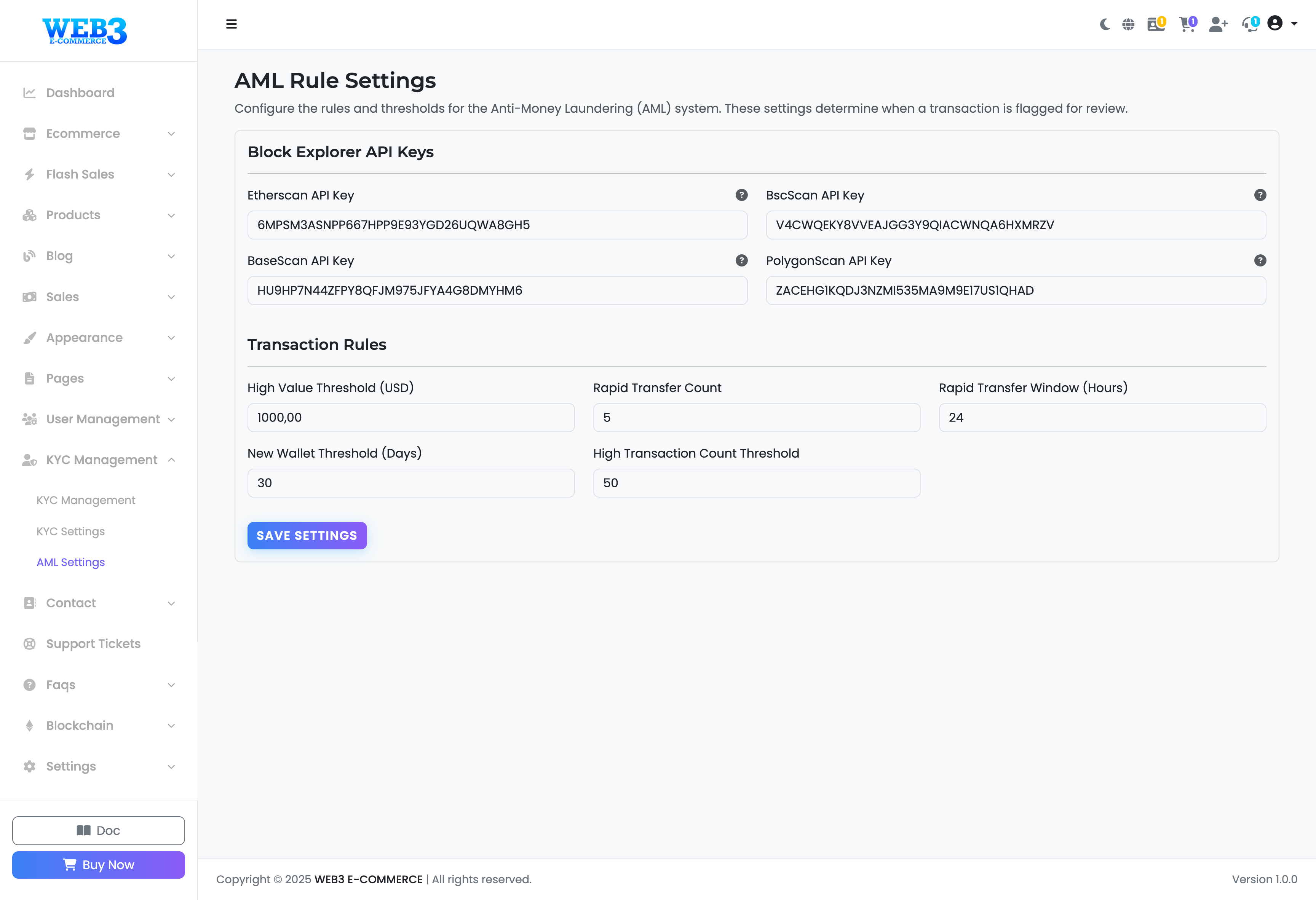
KYC Management: AML (Anti-Money Laundering) Settings
AML (Anti-Money Laundering) Rule Settings
This advanced section helps you configure automated rules to detect and flag potentially suspicious activities on your platform, contributing to Anti-Money Laundering (AML) compliance.
Block Explorer API Keys
To analyze transactions on the blockchain, the system needs API keys from block explorer services. These keys allow the platform to fetch transaction data automatically. You can obtain free API keys from the official websites linked below:
- Etherscan API Key: For Ethereum Mainnet. Get Key Here.
- BscScan API Key: For BSC Mainnet. Get Key Here.
- BaseScan API Key: For Base Mainnet. Get Key Here.
- PolygonScan API Key: For Polygon Mainnet. Get Key Here.
Transaction Rules
These rules define thresholds for flagging transactions based on value and frequency.
- High Value Threshold (USD): Any single transaction exceeding this value (in USD equivalent) will be automatically flagged for review.
- Rapid Transfer Count: The number of transactions within a specific time window that will trigger a flag.
- Rapid Transfer Window (Hours): The duration (in hours) for the "Rapid Transfer Count" rule.
Example: With a Count of 5 and a Window of 24, any user who makes more than 5 transactions in any 24-hour period will be flagged.
New Wallet Rules
These rules apply additional scrutiny to newly created or first-seen wallet addresses, which can be higher risk.
- New Wallet Threshold (Days): A wallet is considered "new" for this many days after its first transaction on your platform.
- High Transaction Count Threshold: The maximum number of transactions a "new" wallet can make within the defined period before being flagged.
After configuring these rules, click "Save Settings" to apply them system-wide.